Interacting with IRIS Sectors
Purpose of Sectors
IRIS Sectors are designed to categorize organizations based on the services they provide. This data can then be used to gain insights, set expansion priorities, and share stories about partnerships and referral activities within the network.
Primary and Secondary Sectors
IRIS Sector selections are editable on the Organization Information page. A Sector Definitions pop-out is available on this page to inform sector selection.
An organization's Primary Sector should be chosen based on its core services. Recognizing that this may not always capture the full range of services offered, a Secondary Sector option is available. Organizations can select an additional sector that accurately reflects their services, including the option to choose "Other" and provide a custom response.
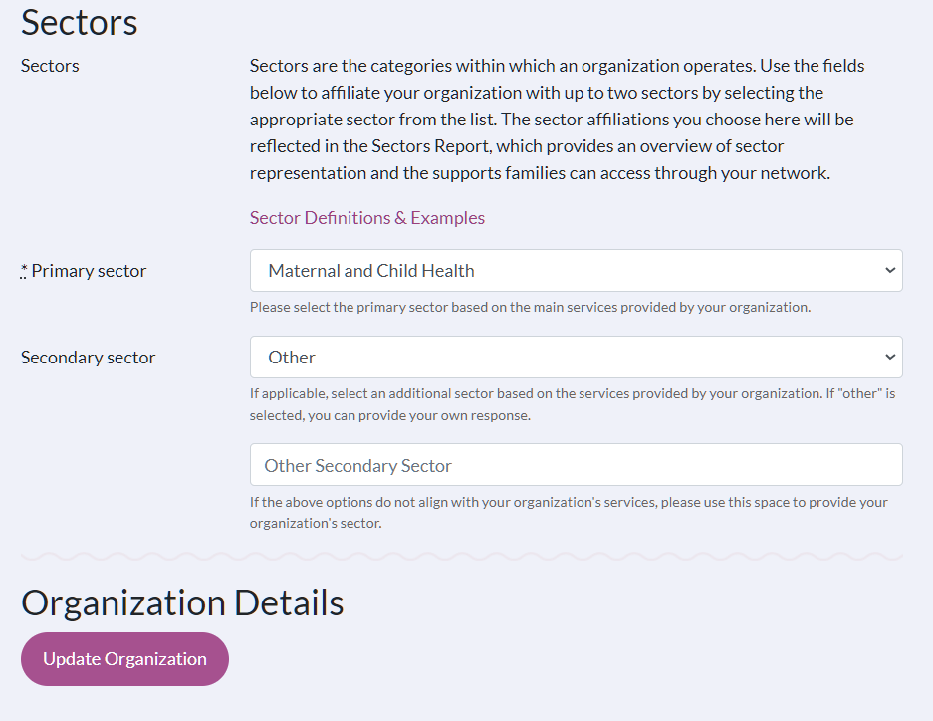
Editing an IRIS Organization's Sector
Who Can Make Sector Selections?
As with all information on an IRIS Organization Profile, sector selections can be edited by any user assigned to the organization, as well as by IRIS System Managers. Please ensure sector selections remain up to date based on the standards set by your Local Leadership Team.
Where are Sector Selections Made?
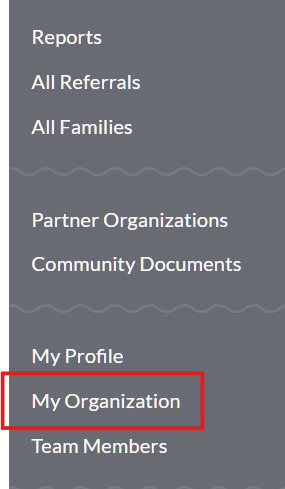
Assigned users can access and edit sector selections through the My Organization tab in the left navigation pane of IRIS.
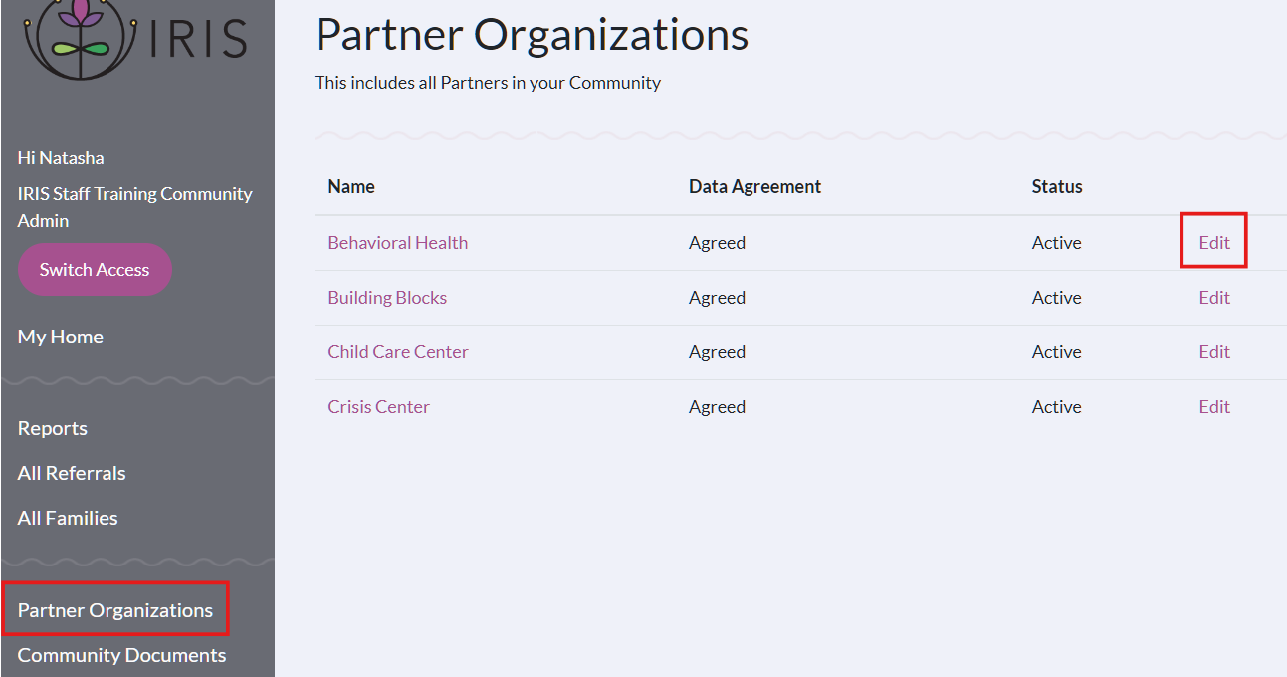
System Managers can review and edit sector selections for all organizations by going to the Partner Organization tab and using the "Edit" button on the right side of the partner list.
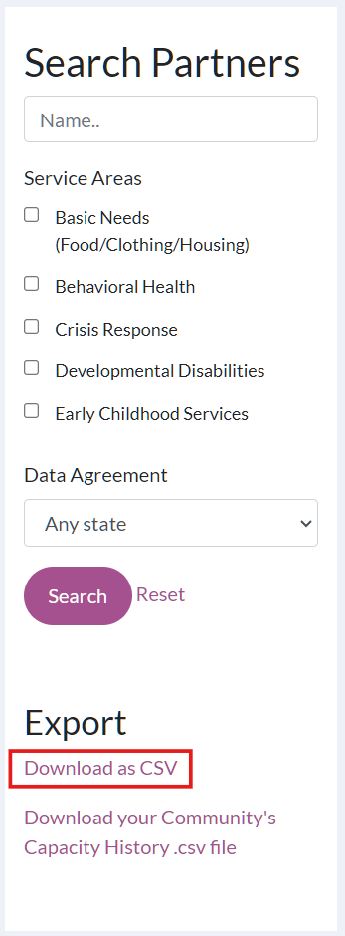
These selections can also be reviewed in the Partner Organization export located below the partner search box.
Sector Selection Expectation Setting in Your Community
Local Leadership Teams are encouraged to work with network partners to set clear expectations for managing these changes, ensuring consistency and alignment with the network’s shared understanding of sector definitions.
Onboarding New Partner Organizations
Introducing Sectors to New Partners
While enabling Partner Organizations to select their own sectors in IRIS facilitates accurate sector representation, it can add complexity to the onboarding process. To address this, Local Leadership Teams are encouraged to include the IRIS Sector Definitions sheet in onboarding materials and discuss the network’s shared understanding of these definitions with new organizations before providing the Organization Access Form. If a partner’s sector selection doesn't align with the community’s definitions, it’s recommended that further conversations be had with the Primary Contact to ensure accurate sector categorization.
Organization Access Form
The New Organization Access form in Airtable, as well as the fillable PDF version, have been updated to include sector selection fields. These documents also have a link to the IRIS Sector Definition sheet.
IRIS Sector Data
Reports
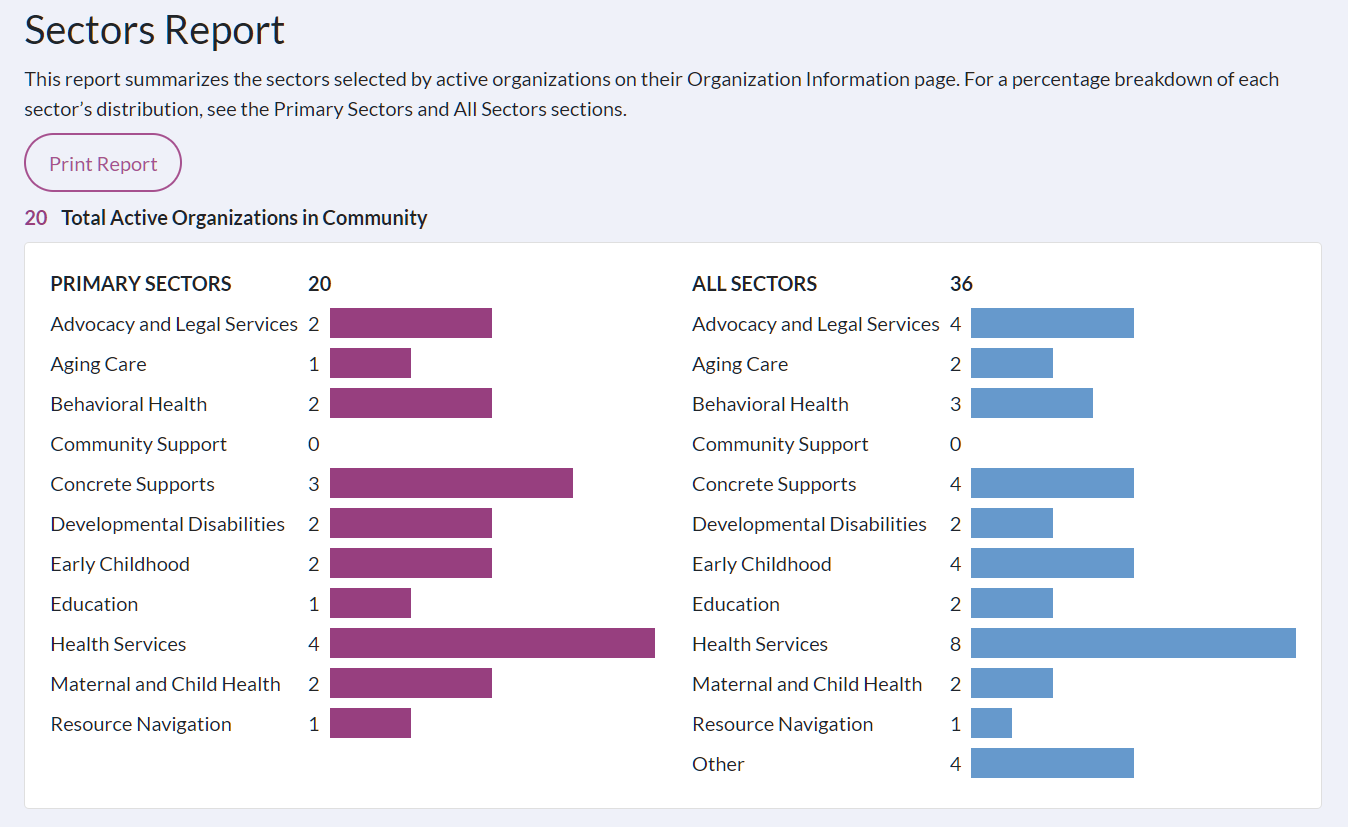
The Sector Report is available in the Reports section of IRIS and summarizes the sectors selected by active organizations on their Organization Information page. This report has three parts: two summary bar graphs, the Primary Sectors section, and the All Sectors section.
At the top of the page is a bar chart summarizing the Primary Sector selections and another summarizing both Primary and Secondary Sector selections for all active organizations.
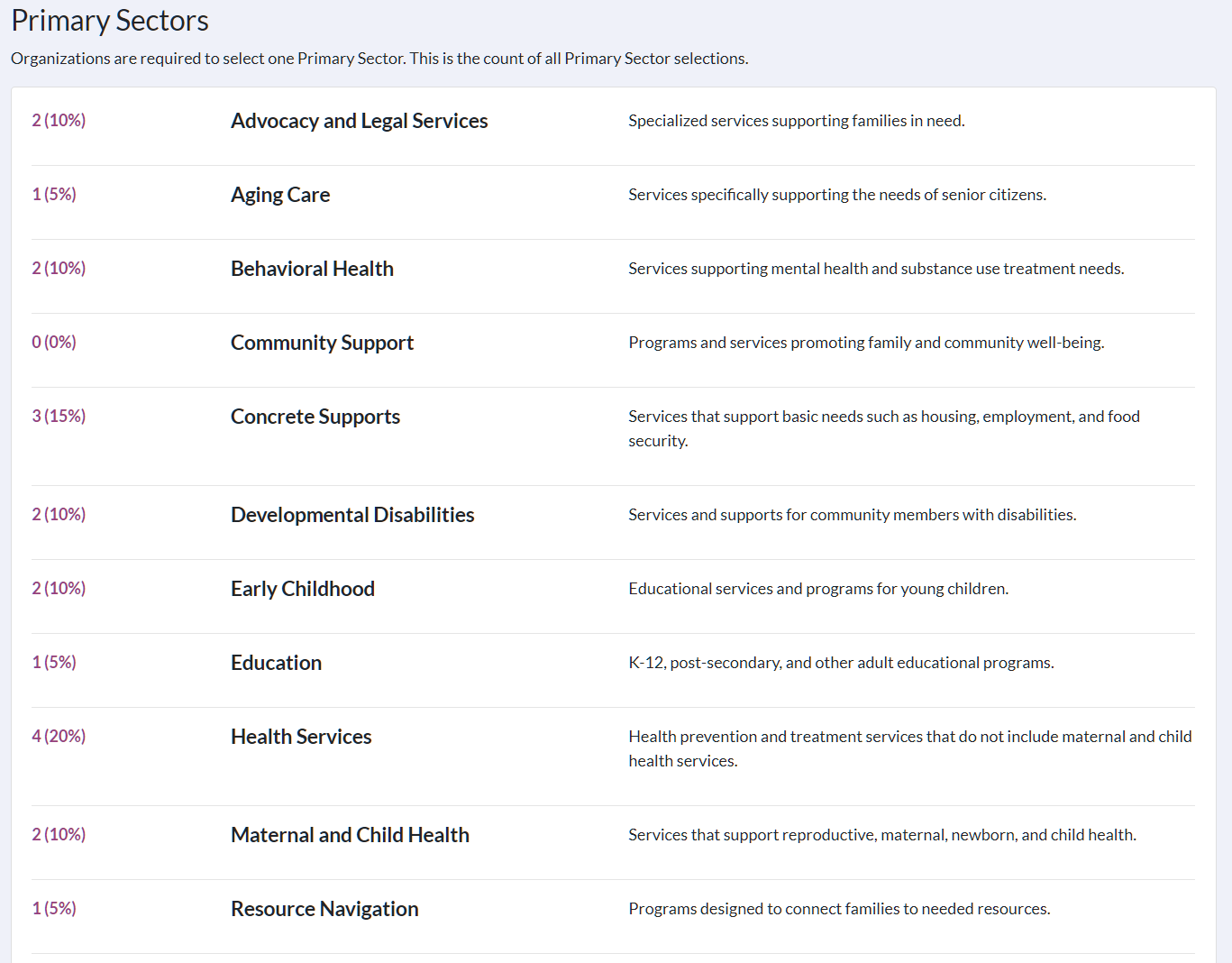
After the bar charts is the Primary Sectors section of the report; in this section, each sector and its definition are listed. Alongside each sector, the number of organizations identifying it as their Primary Sector is displayed.
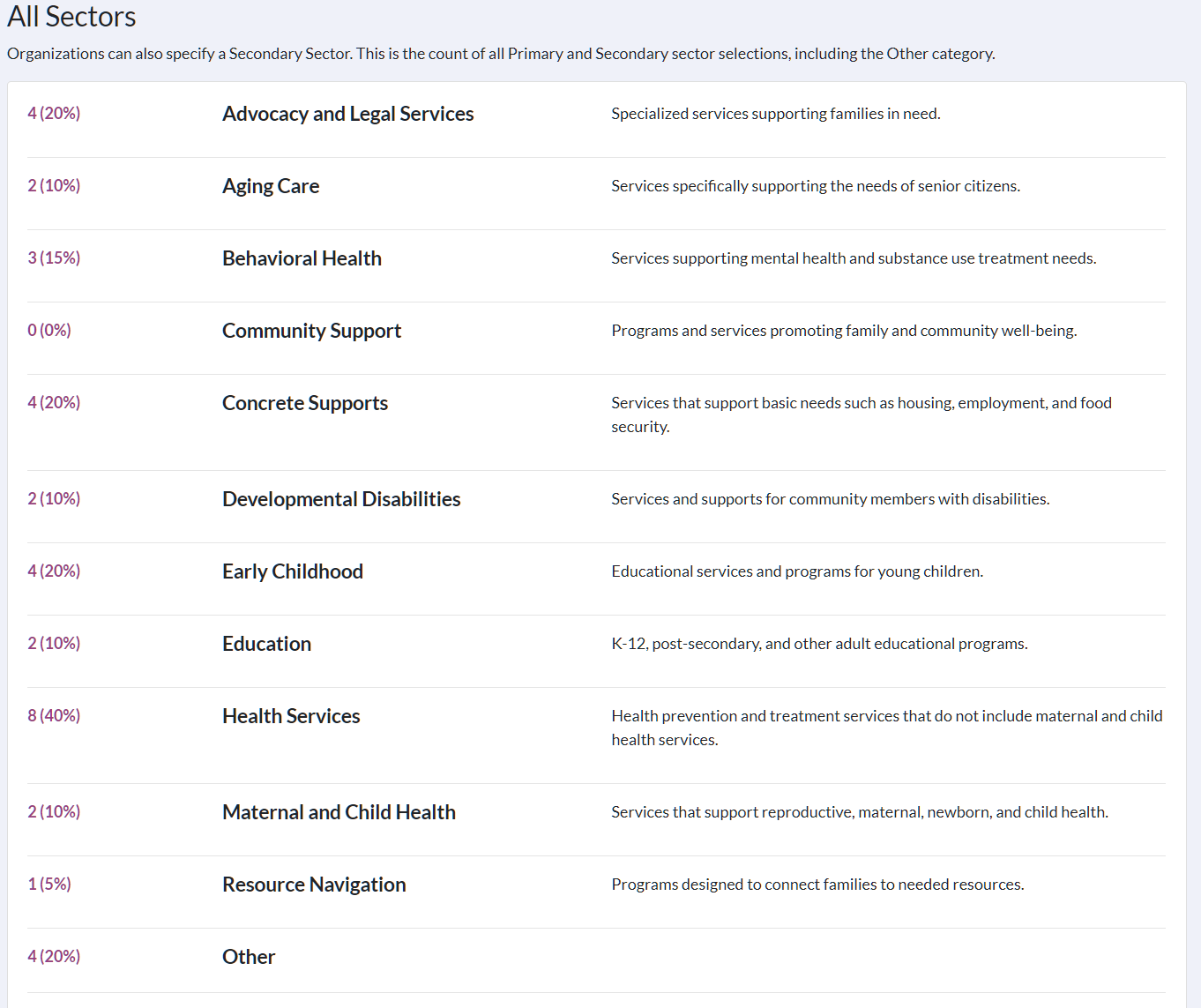
Lastly, there is the All Sectors section. This section provides a count of both the Primary and Secondary Sector selections for each active organization in the community.
Exports
Sector data is also available for export from IRIS. Fields for sector data can be found in the following exports accessible to all IRIS users: Partner Organization Export, Referral History Export, and Referral Details Export.
Data Possibilities
With enhanced accessibility to sector data through the Sector Report and added export fields, there are many ways to explore and interact with your IRIS network's sector data. You can discover insights such as which sectors are most active in the referral network, determine if sector distribution accurately represents your IRIS network’s vision, identify service gaps, and analyze which sectors are connected with others.