IRIS Referral Lifespan Tool
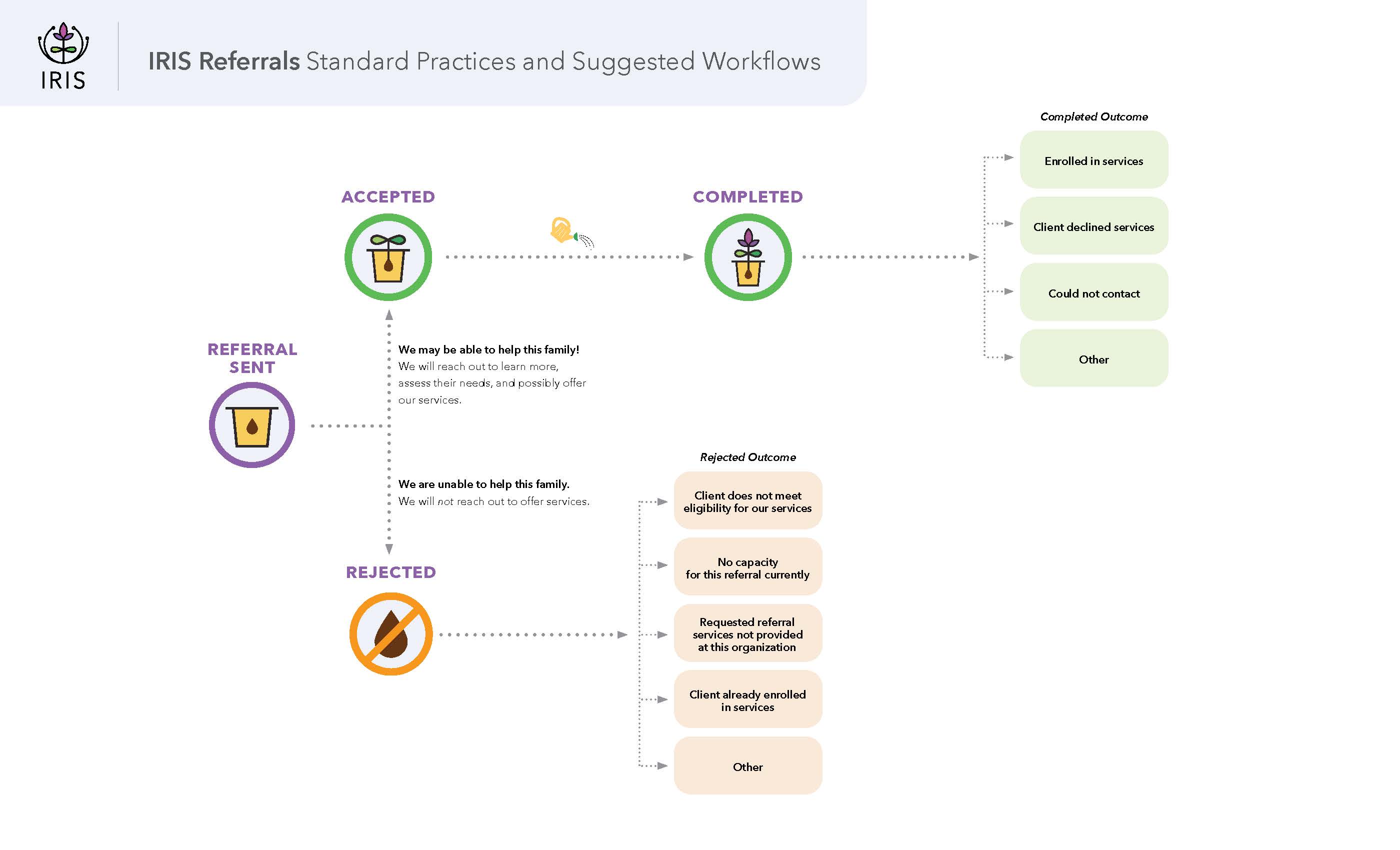
To enable clear workflows and timely communication, the IRIS team has developed the Referral Lifespan Tool. It is designed to display, at a glance, the journey a referral goes through in IRIS, and to help IRIS users clarify best practices around the various referral outcomes. Demonstrating the referral pathways associated with the four referral statuses: sent, accepted, completed, and rejected, you can follow the route a referral may take and determine if/when a referral should change status based on the standard practices outlined in the tool.
Your community may have specific expectations for referral workflows within your network; please contact your Local Leadership Team to learn more about how you can use this tool in your community's referral practices.