IRIS Workflow: Email Notifications
Email notifications ease the integration of IRIS into existing workflows. Use this tool to consider how email notification preferences can complement each user’s responsibilities in IRIS.
Designed to support IRIS integration into every user and organization’s referral workflow, IRIS email notifications provide users real-time alerts about new referrals and changes to referral status. Email notification assignments should be considered while developing your organization’s workflow plan. Users’ email notifications should be configured based on their preferences and role in the IRIS workflow.
For example, staff responsible for processing incoming referrals may opt out of all email notifications related to referral status changes. Similarly, staff who primarily track and monitor outgoing referrals may opt out of email notifications when their organization receives a new referral. When considering email notification preferences, note that at least one user from each organization must opt to receive new referral email notifications.
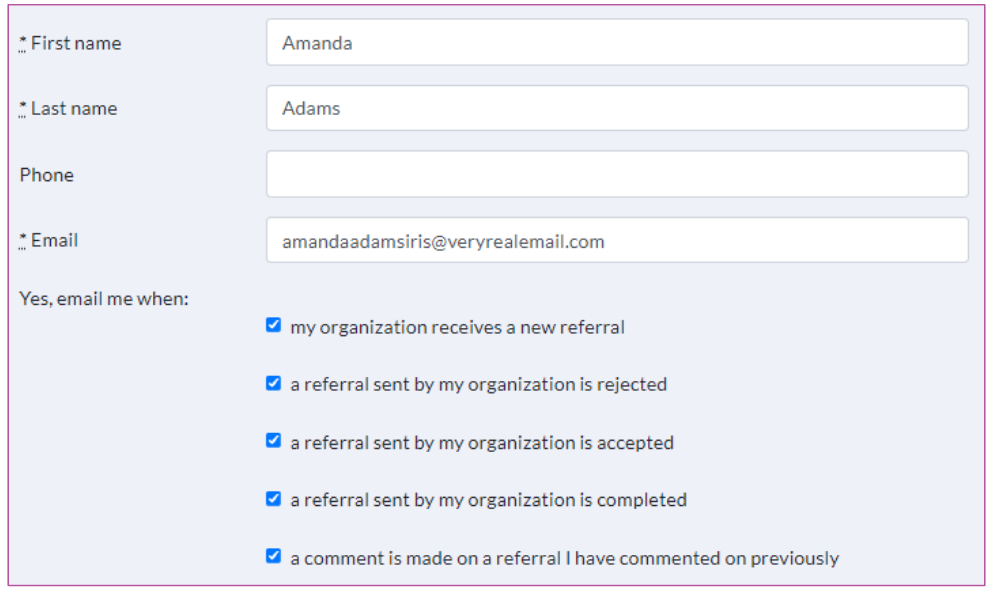
After gaining IRIS access it is users’ responsibility to establish their email notification preferences on the My Profile tab located on the left navigation menu. All users should add irisadmin@ku.edu to their email’s safe sender list to prevent email notifications from being blocked by spam filters.